> ## Documentation Index
> Fetch the complete documentation index at: https://developer.me-cash.com/llms.txt
> Use this file to discover all available pages before exploring further.
# Create Your Account
> Set up your meCash business workspace and complete the KYB verification process to start transacting.
Before you can authenticate with the meCash API, you need a verified business workspace. Follow these steps to set up your account and complete KYB (Know Your Business) verification.
## Create your business account
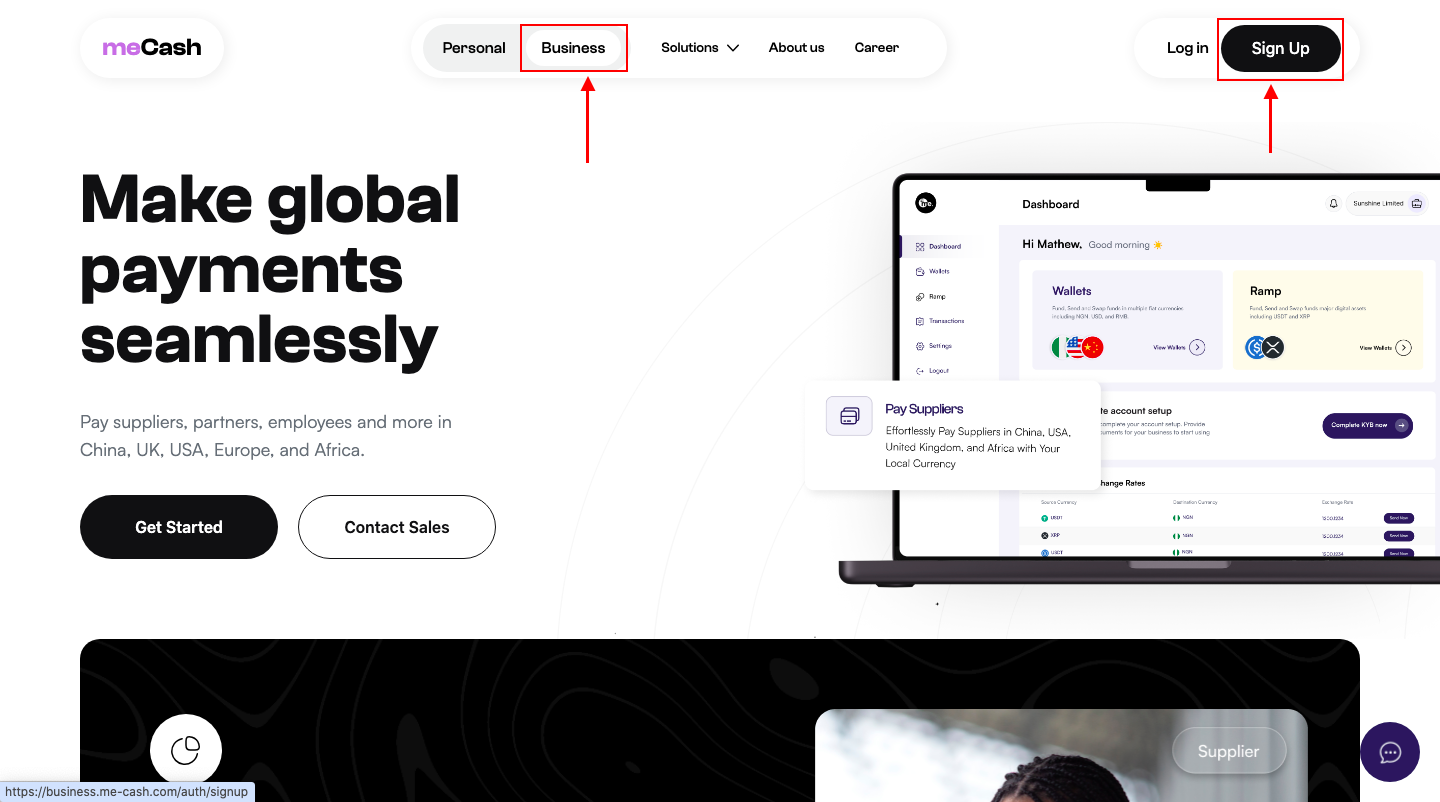 1. Visit the [meCash Business portal](https://business.me-cash.com).
2. Choose the **Business** option and click **Sign Up**.
3. Continue to the account creation form.
1. Visit the [meCash Business portal](https://business.me-cash.com).
2. Choose the **Business** option and click **Sign Up**.
3. Continue to the account creation form.
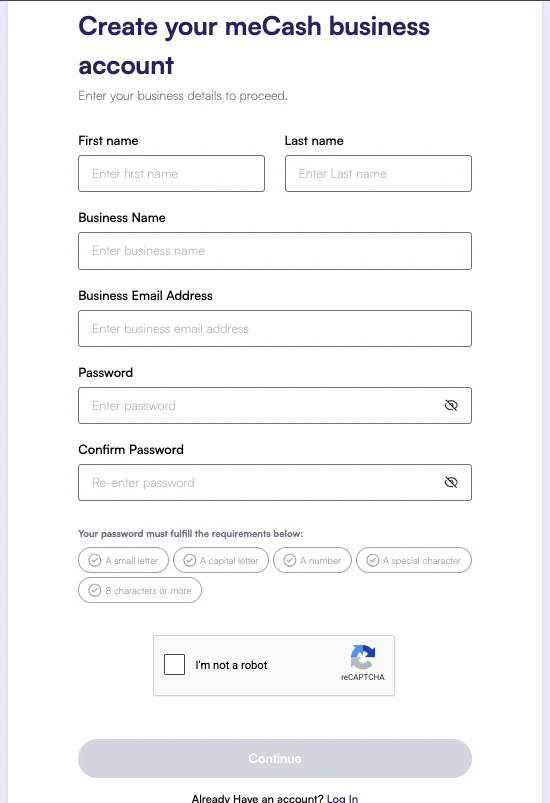 Provide the required business details:
* First and last name
* Business name and business email
* Secure password (confirm it before submitting)
Click **Continue** to submit your registration.
Look for a verification email from meCash and click the confirmation link to activate your account. You cannot continue until this step is complete.
## Complete KYB verification
Provide the required business details:
* First and last name
* Business name and business email
* Secure password (confirm it before submitting)
Click **Continue** to submit your registration.
Look for a verification email from meCash and click the confirmation link to activate your account. You cannot continue until this step is complete.
## Complete KYB verification
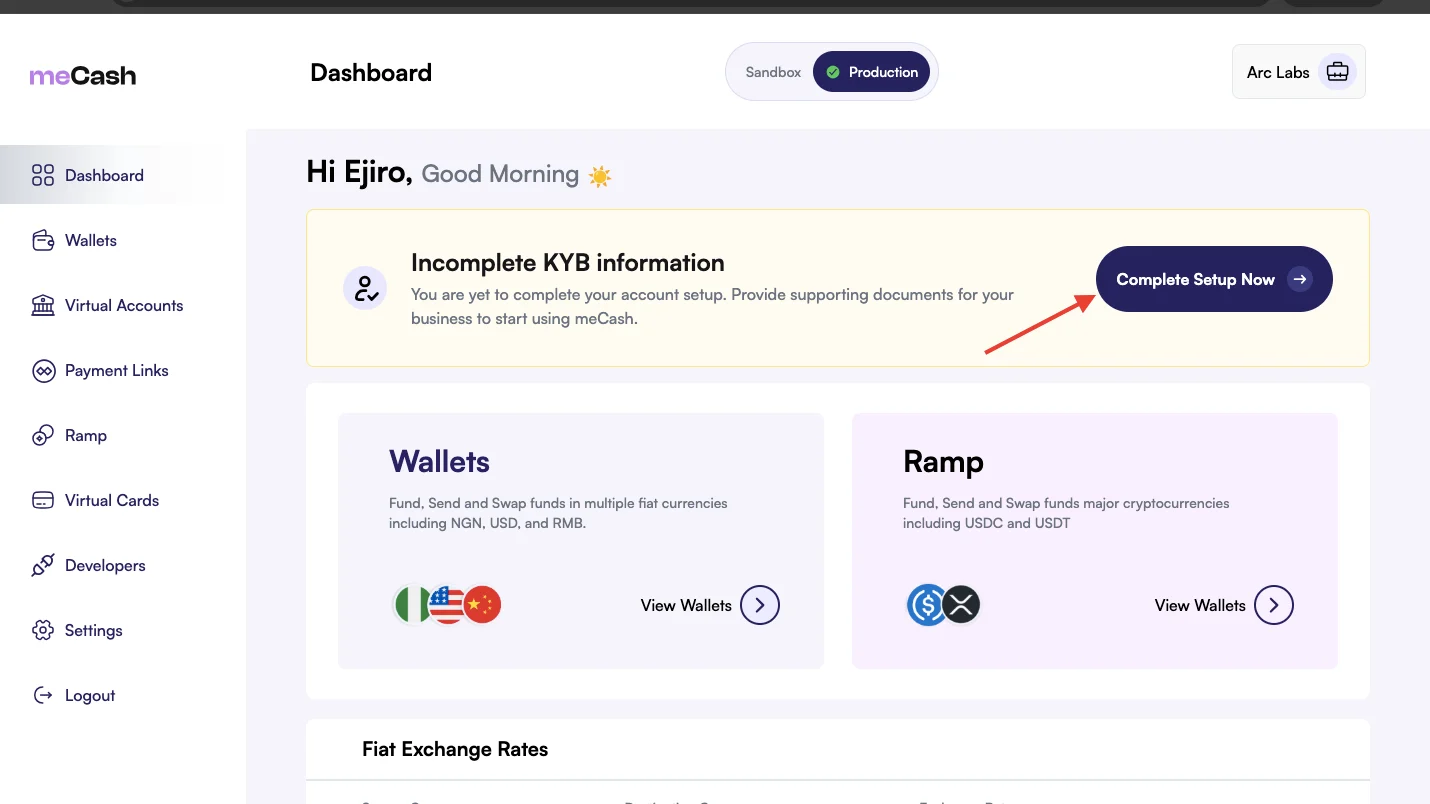 1. Sign in to your dashboard.
2. Open the **KYB Verification** tile.
3. Click **Complete Setup Now** to start the review process.
1. Sign in to your dashboard.
2. Open the **KYB Verification** tile.
3. Click **Complete Setup Now** to start the review process.
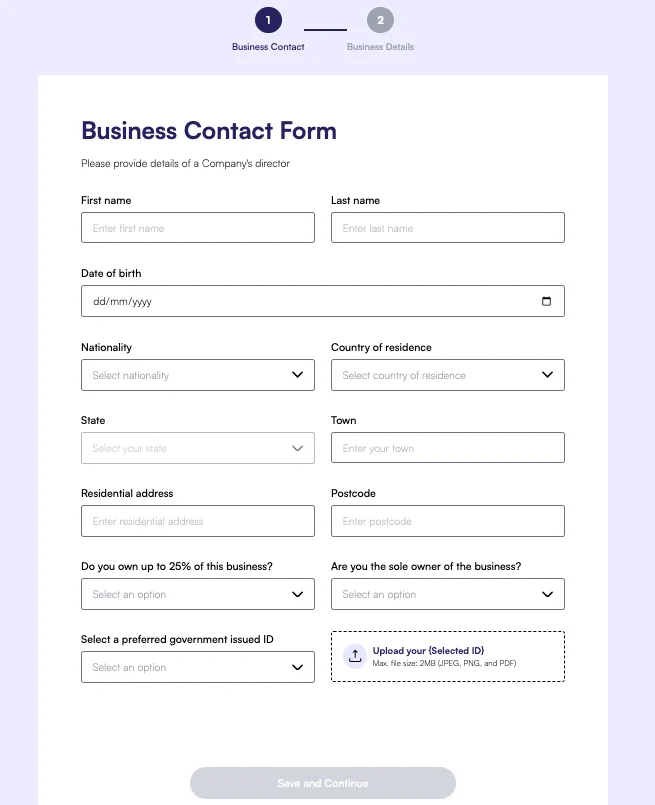 Enter accurate personal and business details. The director’s first and last name must exactly match the information associated with their BVN.
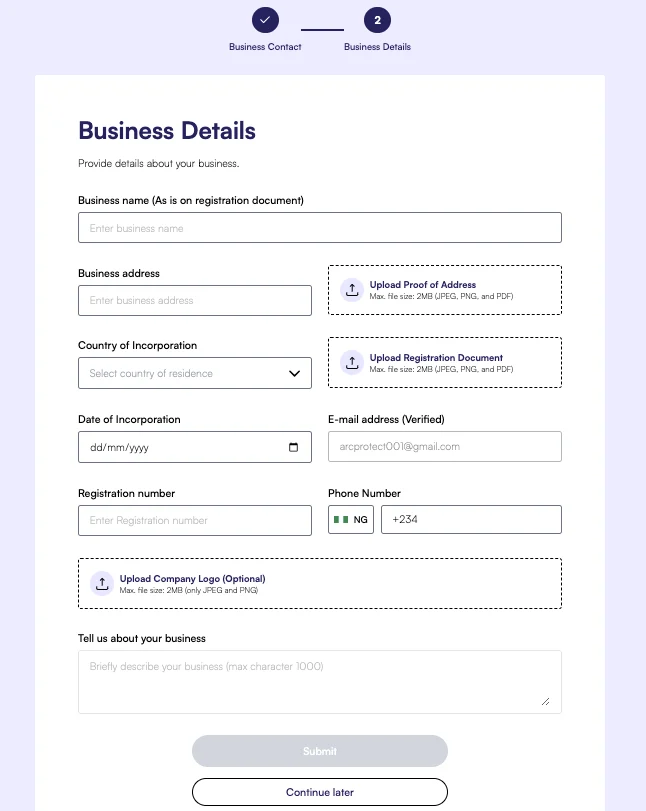 Provide your business information:
* Business name (as it appears on the registration document)
* Business address and country of incorporation
* Upload proof of address and registration document (JPEG, PNG, or PDF, max 2 MB)
* Date of incorporation and verified email address
* Registration number and phone number
* Upload company logo (optional, JPEG or PNG, max 2 MB)
* Brief business description (max 1000 characters)
Click **Submit** when every field is complete.
Our compliance team will review your submission and notify you by email once the account is verified. You can track the status from the dashboard.
Need to update your documents? You can revisit the KYB flow from the dashboard at any time before approval.
## Next steps
Once verification is complete, you can [generate your API keys](/authentication) and begin testing endpoints in the [Quickstart guide](/quickstart).
Provide your business information:
* Business name (as it appears on the registration document)
* Business address and country of incorporation
* Upload proof of address and registration document (JPEG, PNG, or PDF, max 2 MB)
* Date of incorporation and verified email address
* Registration number and phone number
* Upload company logo (optional, JPEG or PNG, max 2 MB)
* Brief business description (max 1000 characters)
Click **Submit** when every field is complete.
Our compliance team will review your submission and notify you by email once the account is verified. You can track the status from the dashboard.
Need to update your documents? You can revisit the KYB flow from the dashboard at any time before approval.
## Next steps
Once verification is complete, you can [generate your API keys](/authentication) and begin testing endpoints in the [Quickstart guide](/quickstart).