

Create your business account
1. Open the Business sign-up page
1. Open the Business sign-up page
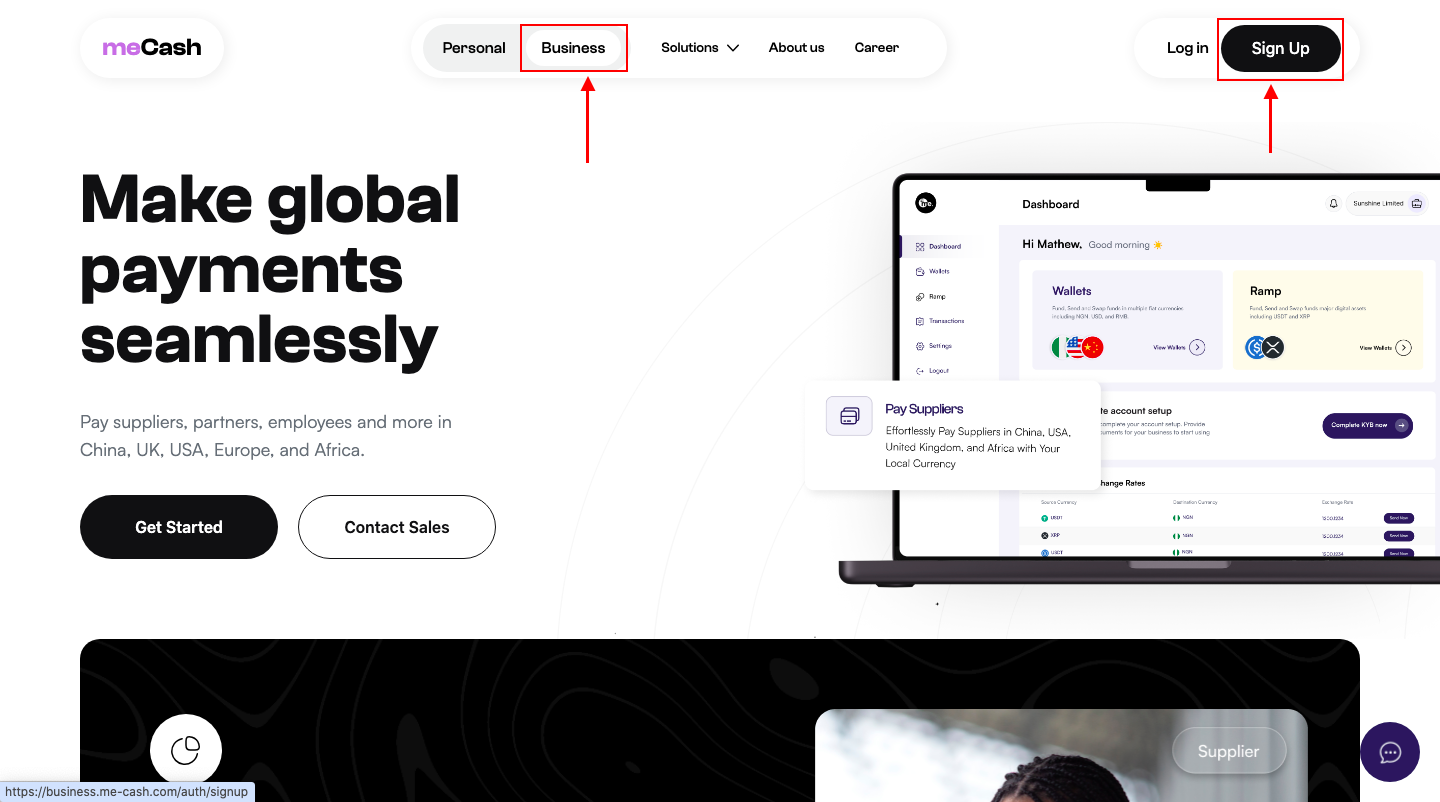
- Visit the meCash Business portal.
- Choose the Business option and click Sign Up.
- Continue to the account creation form.
2. Complete the registration form
2. Complete the registration form
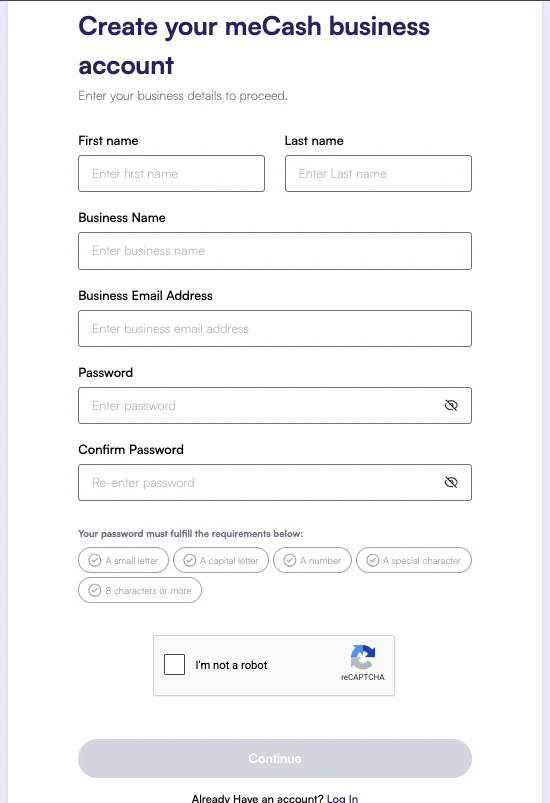
- First and last name
- Business name and business email
- Secure password (confirm it before submitting) Click Continue to submit your registration.
3. Verify your email address
3. Verify your email address
Look for a verification email from meCash and click the confirmation link to activate your account. You cannot continue until this step is complete.
Complete KYB verification
1. Launch the KYB workflow
1. Launch the KYB workflow
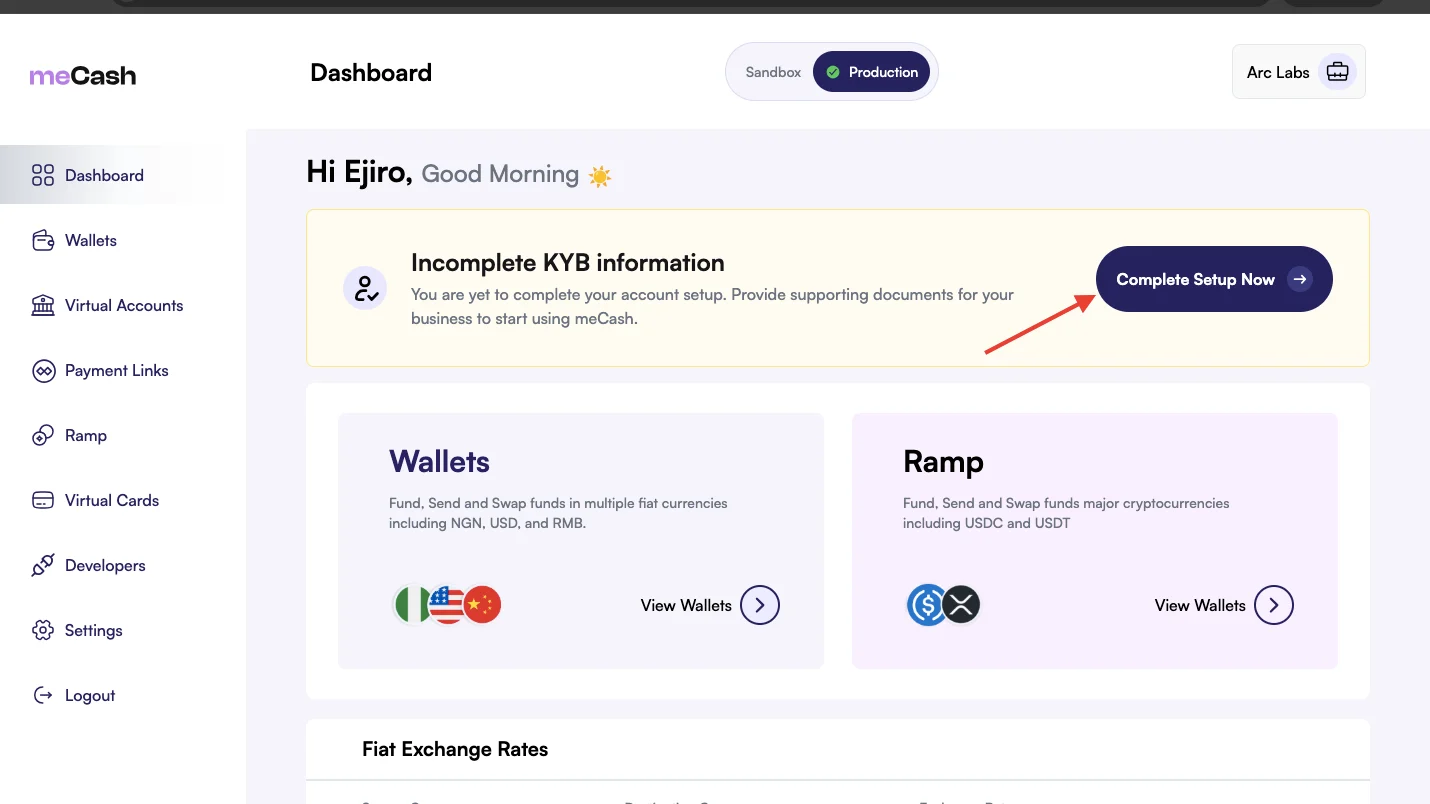
- Sign in to your dashboard.
- Open the KYB Verification tile.
- Click Complete Setup Now to start the review process.
2. Fill in business contact information
2. Fill in business contact information
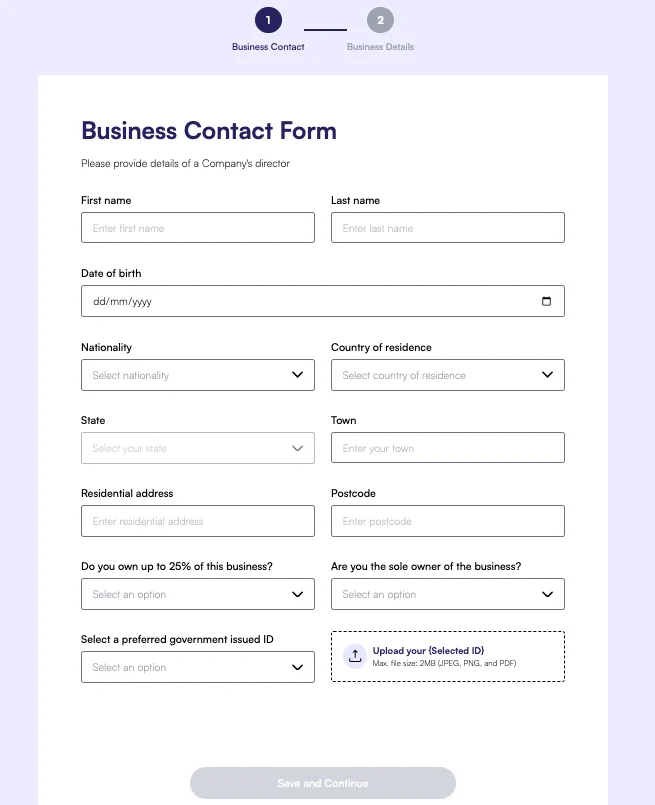
3. Upload verification documents
3. Upload verification documents
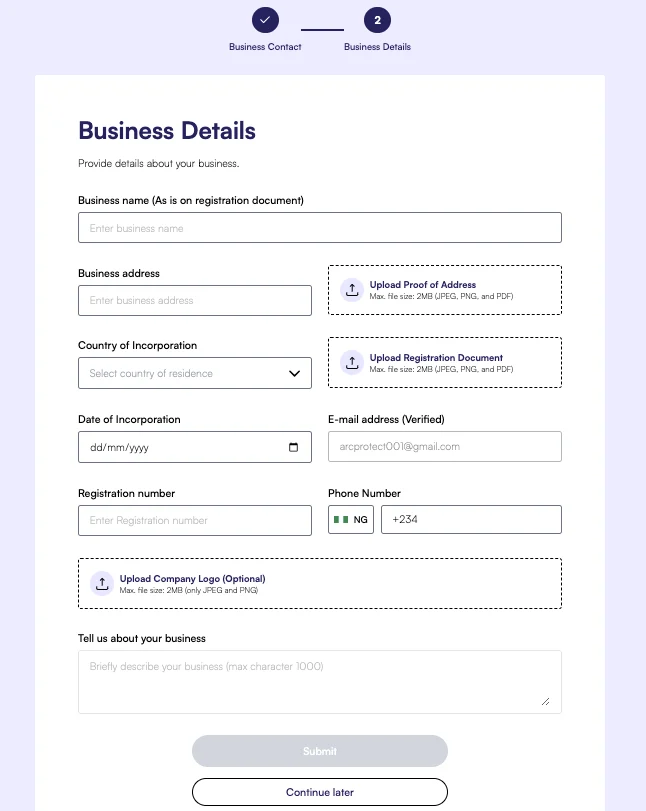
- Business name (as it appears on the registration document)
- Business address and country of incorporation
- Upload proof of address and registration document (JPEG, PNG, or PDF, max 2 MB)
- Date of incorporation and verified email address
- Registration number and phone number
- Upload company logo (optional, JPEG or PNG, max 2 MB)
- Brief business description (max 1000 characters)
4. Wait for approval
4. Wait for approval
Our compliance team will review your submission and notify you by email once the account is verified. You can track the status from the dashboard.