

How Webhooks Work
How Webhooks Work
The process is straightforward:
- An Event Occurs: Something happens in your account, like a successful payout or a collection.
- meCash Sends a Request: We send a secure HTTP POST request containing the event details to the webhook URL you’ve configured.
- You Acknowledge and Verify: Your server acknowledges receipt by returning a
2XXstatus code and then validates the request’s signature to confirm it’s genuinely from meCash.
Webhook Security
Webhook Security
All meCash webhook events are signed using an
HMAC-512 signature in the X-Signature header. The signature is computed from the raw request body using your webhook secret key (found in Developers → Webhooks in your dashboard). Always verify this signature before processing the event to ensure authenticity and prevent replay attacks.- Reject requests with missing or invalid signatures.
- Log every webhook delivery for auditability.
- Retry failed processing gracefully and return
2XXonly after you persist the event.
Configure Your Webhook in the Dashboard
Configure Your Webhook in the Dashboard
In the Developers section of your meCash dashboard, select Webhooks from the left-hand menu to review existing endpoints and create new ones.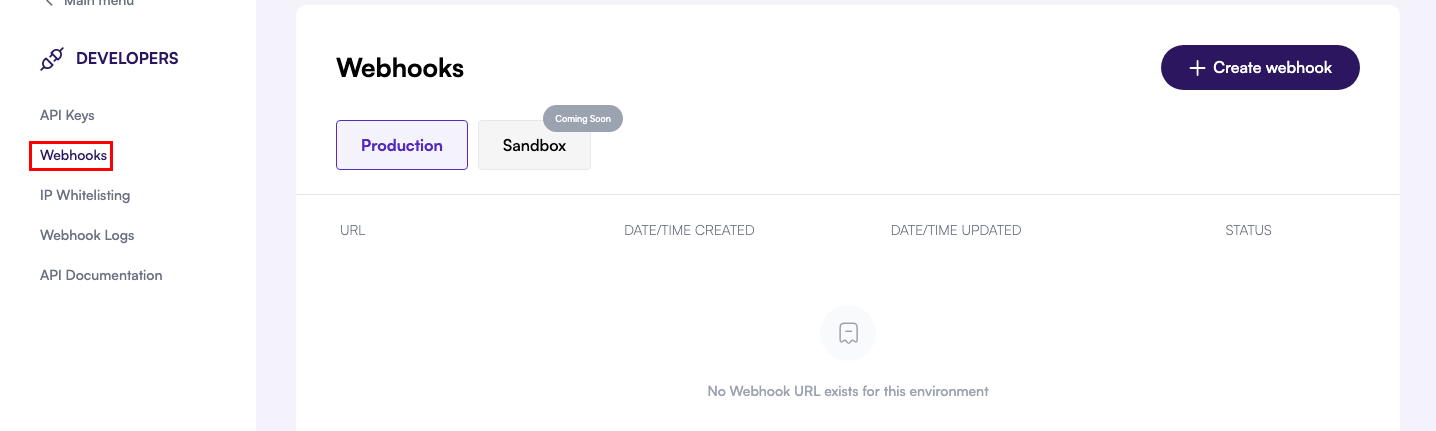
Create a new webhook
Create a new webhook
Click the Create Webhook button at the top-right corner to launch the configuration modal for a new endpoint.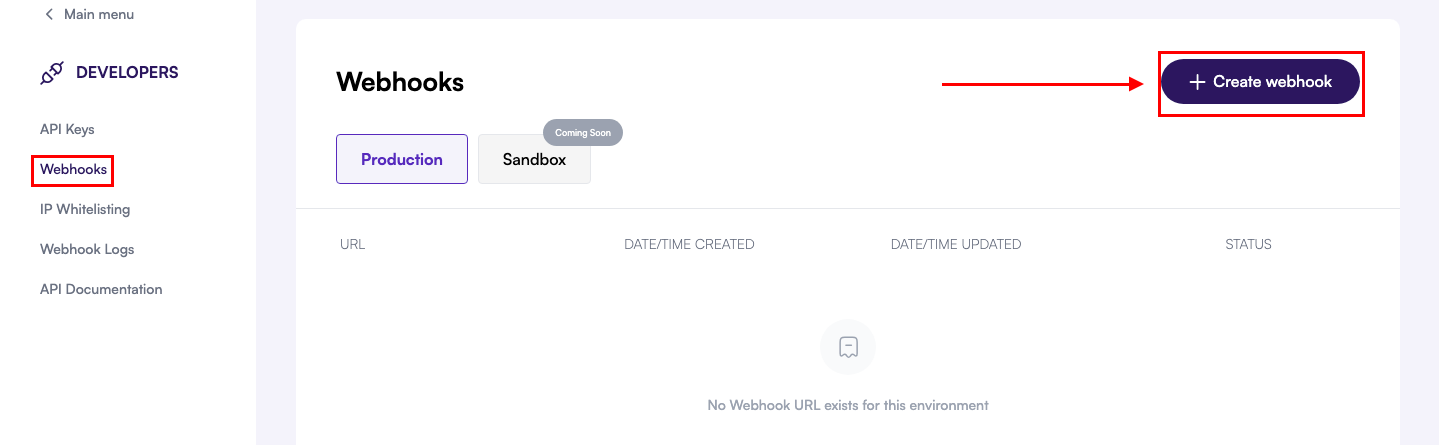
Provide your webhook URL
Provide your webhook URL
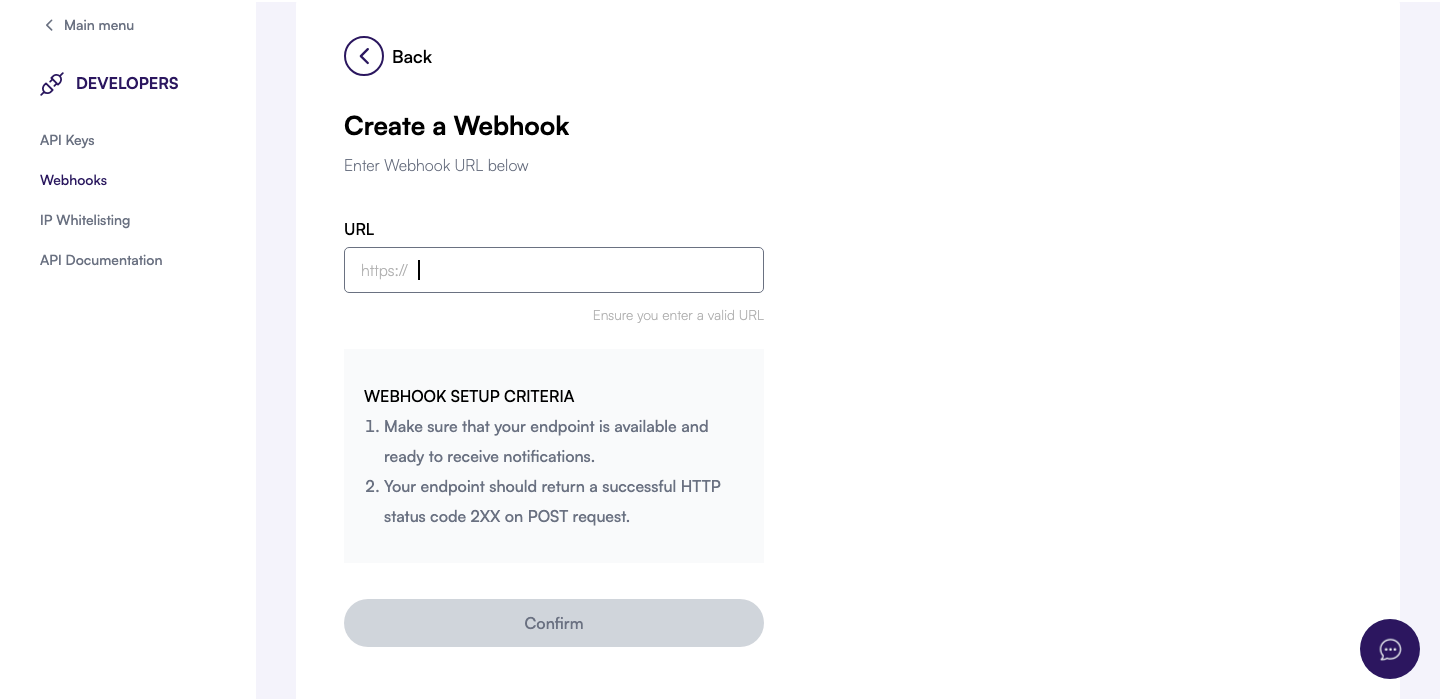
- Enter the publicly accessible URL where you want to receive webhook events.
- Ensure the endpoint accepts HTTPS POST requests and responds within 10 seconds.
- Return an HTTP 2XX status code to acknowledge receipt and prevent retries.
Confirm and monitor delivery
Confirm and monitor delivery
After clicking Confirm, your webhook appears in the list with its current status. Use the dashboard to pause, resume, or regenerate the signing secret if needed.