

1. Open the Wallets dashboard
1. Open the Wallets dashboard
Log in to your meCash Business account and select Wallets from the left navigation. You’ll see every currency wallet tied to your workspace along with current balances and recent activity.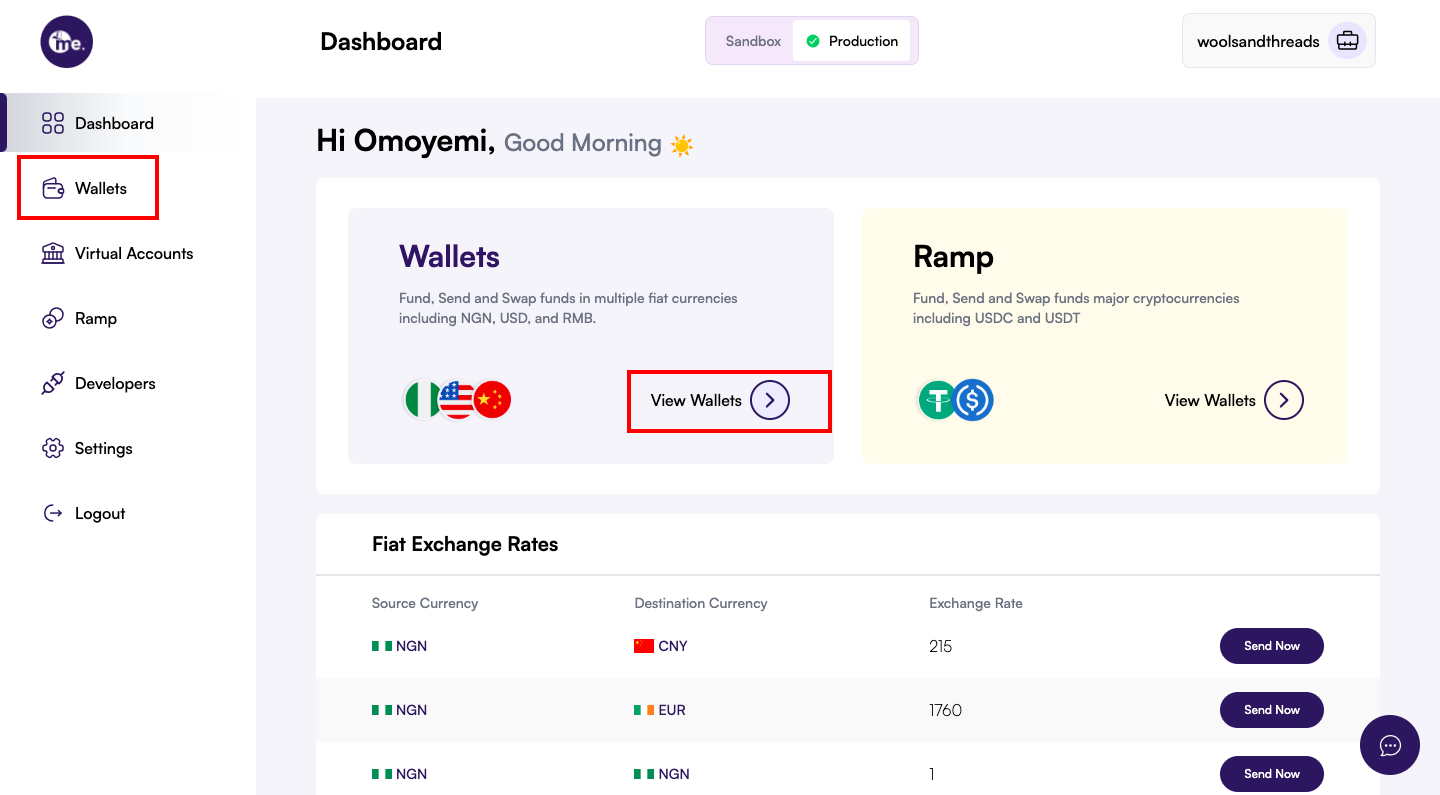
2. Choose the wallet to fund
2. Choose the wallet to fund
Wallets are grouped by currency. Pick the tab that matches the balance you want to increase—for example, NGN for Nigerian naira or USD for US dollars. Each tab displays the available balance, recent transactions, and funding controls for that currency.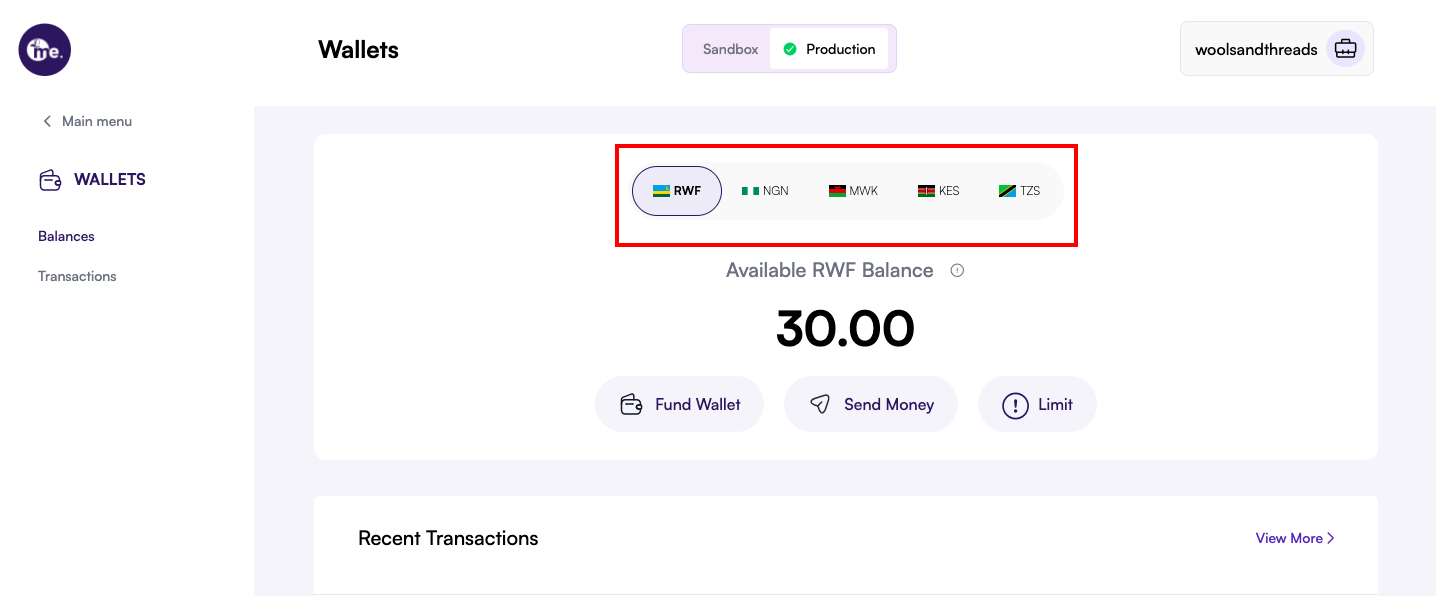
3. Start the funding flow
3. Start the funding flow
Click Fund Wallet beneath the balance card to launch the funding modal.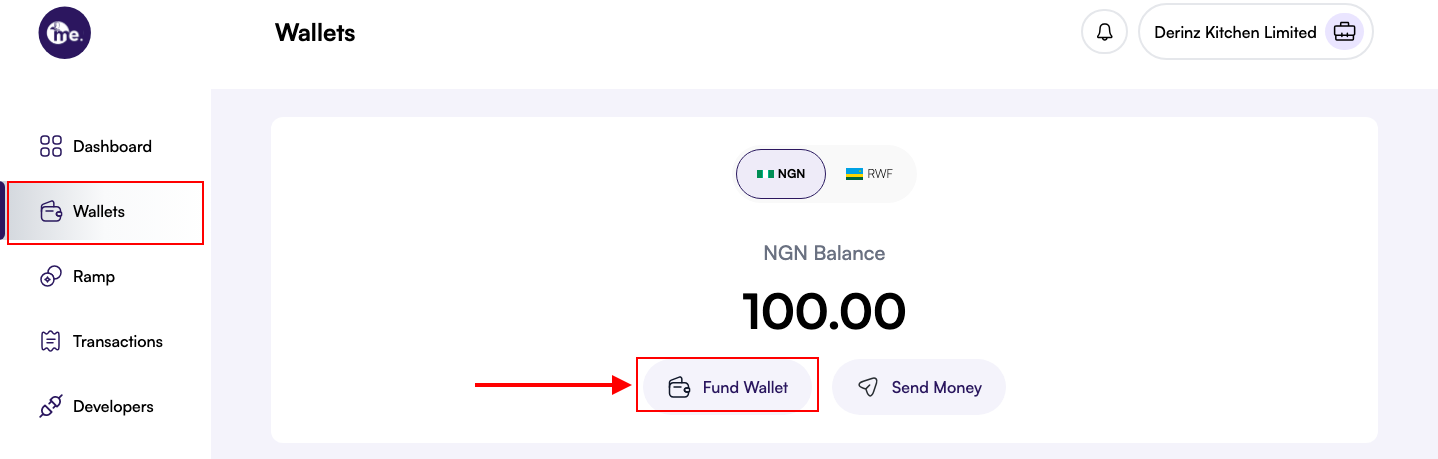
4. Review the deposit instructions
4. Review the deposit instructions
The modal displays the beneficiary details (account name, number, bank, and any mandatory reference). Copy these fields carefully before switching to your banking channel. The details are unique to your workspace and ensure funds settle to the correct wallet.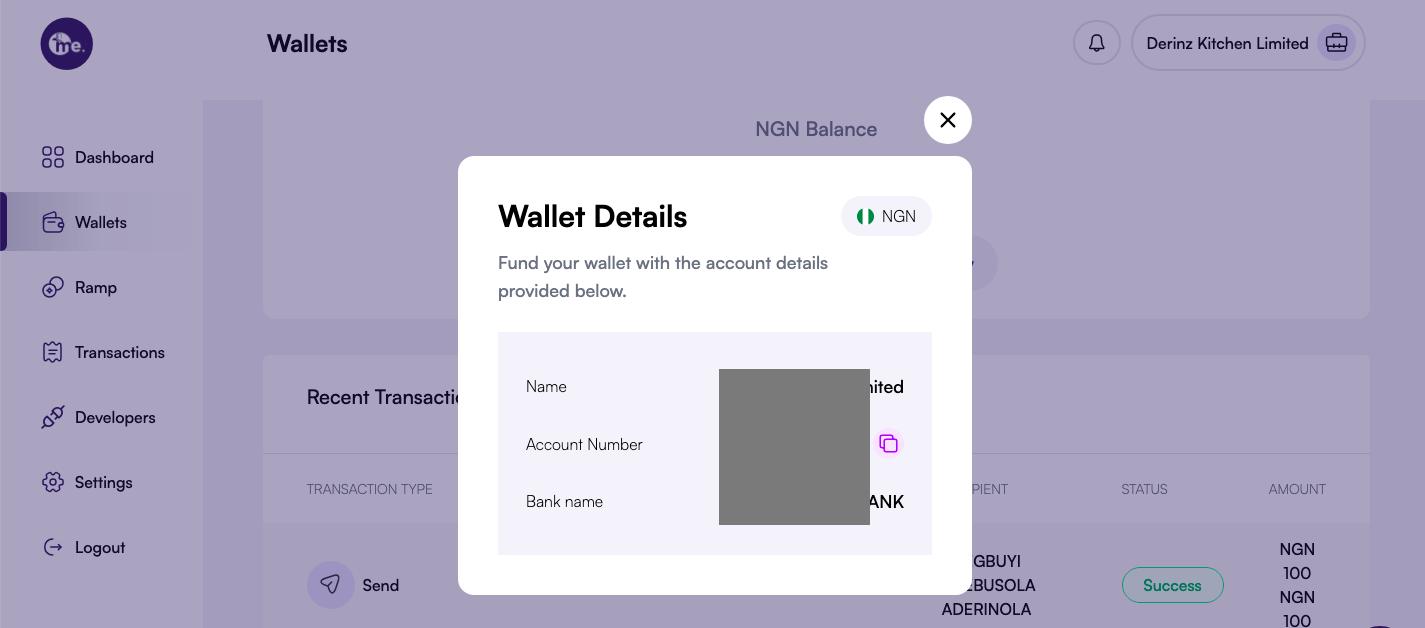
5. Transfer funds from your bank
5. Transfer funds from your bank
Use your bank portal or mobile app to send the desired amount to the listed beneficiary account. Include any reference code shown in the modal so we can match the incoming payment automatically.
6. Confirm the deposit
6. Confirm the deposit
After the transfer clears, refresh the wallet dashboard. The updated balance appears alongside a credit entry in the transaction log so you can reconcile it with internal records.