

Payment Links Use Cases
This feature is ideal for:- Collecting one-time payments.
- Selling simple products or services.
- Freelancers and businesses sending quick invoices.
Creating a Payment Link
Follow these steps to generate a new payment link for your customers.1. Access the Dashboard
1. Access the Dashboard
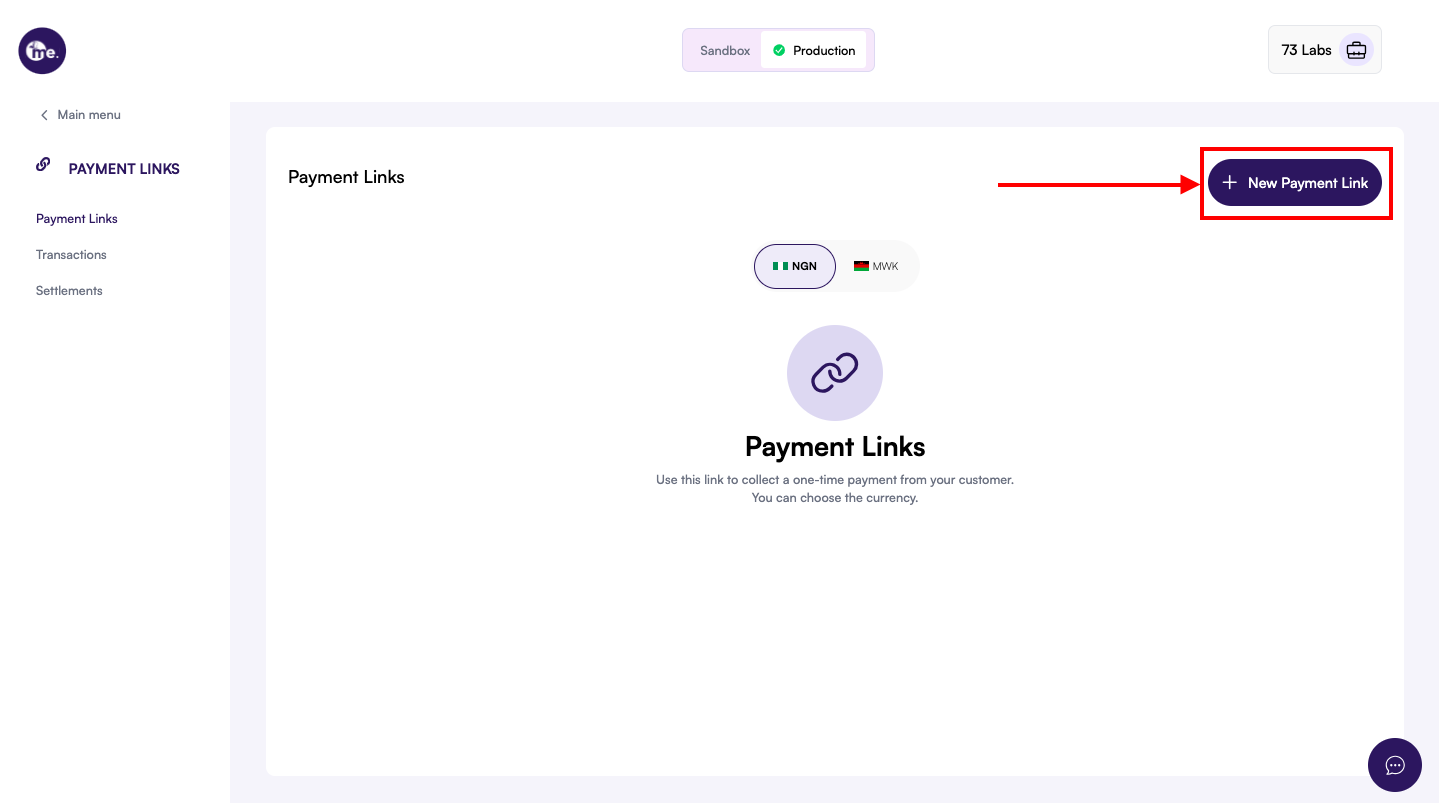
From your main dashboard, locate the sidebar menu and click on Payment Links.
2. Initiate New Link
2. Initiate New Link
On the Payment Links page, click the + New Payment Link button located in the top right corner.
3. Fill in Payment Details
3. Fill in Payment Details
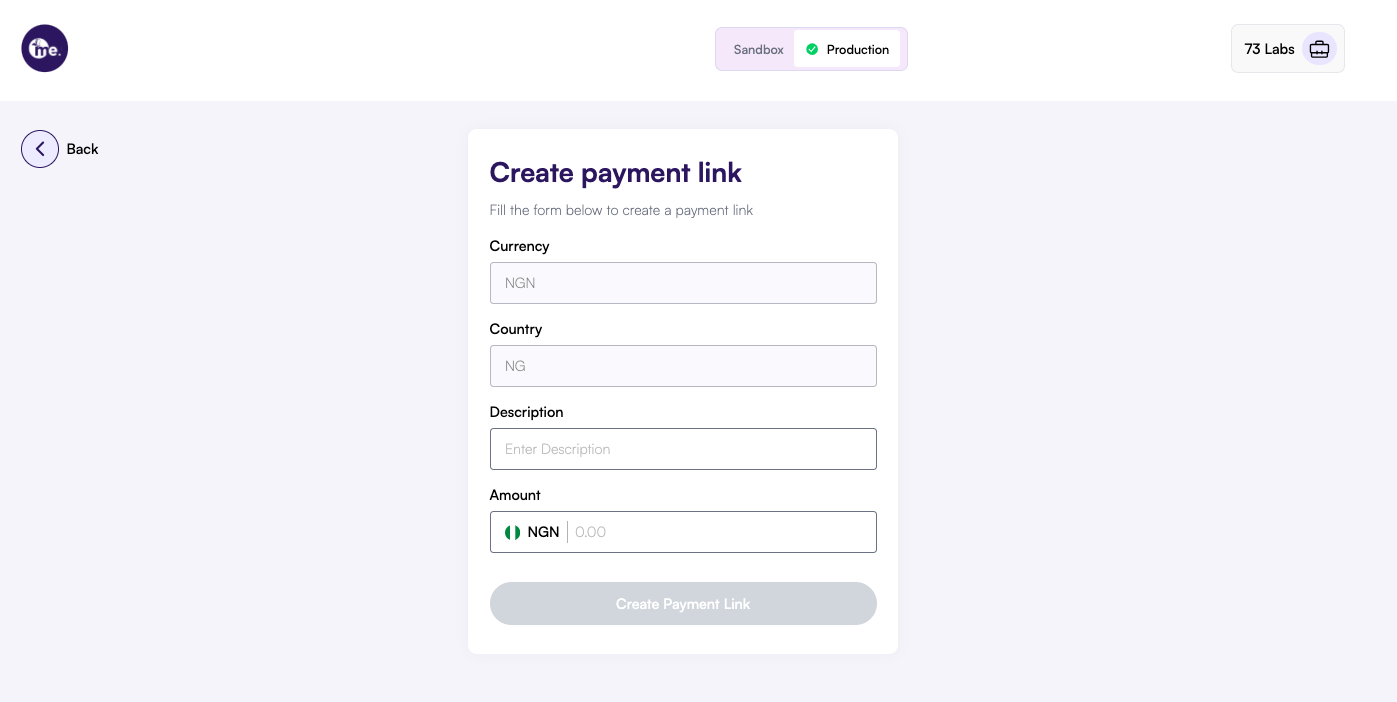
- Currency: Select the currency (e.g.,
NGN). - Country: Select the country (e.g.,
NG). - Description: A brief description (e.g., “Ejiro Fintech Course”).
- Amount: Enter the specific amount to be charged.
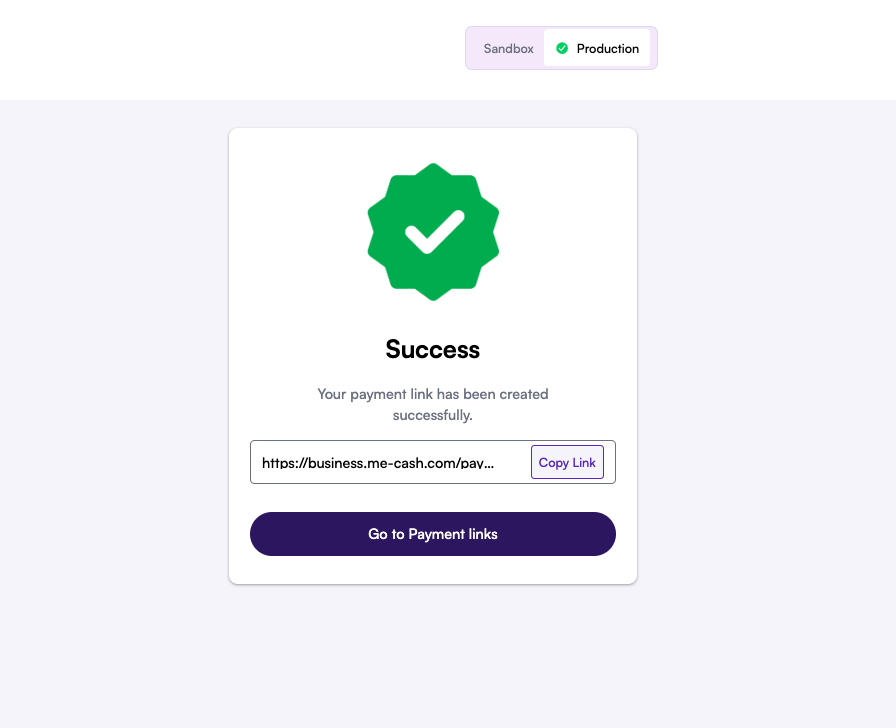
4. Success and Sharing
4. Success and Sharing
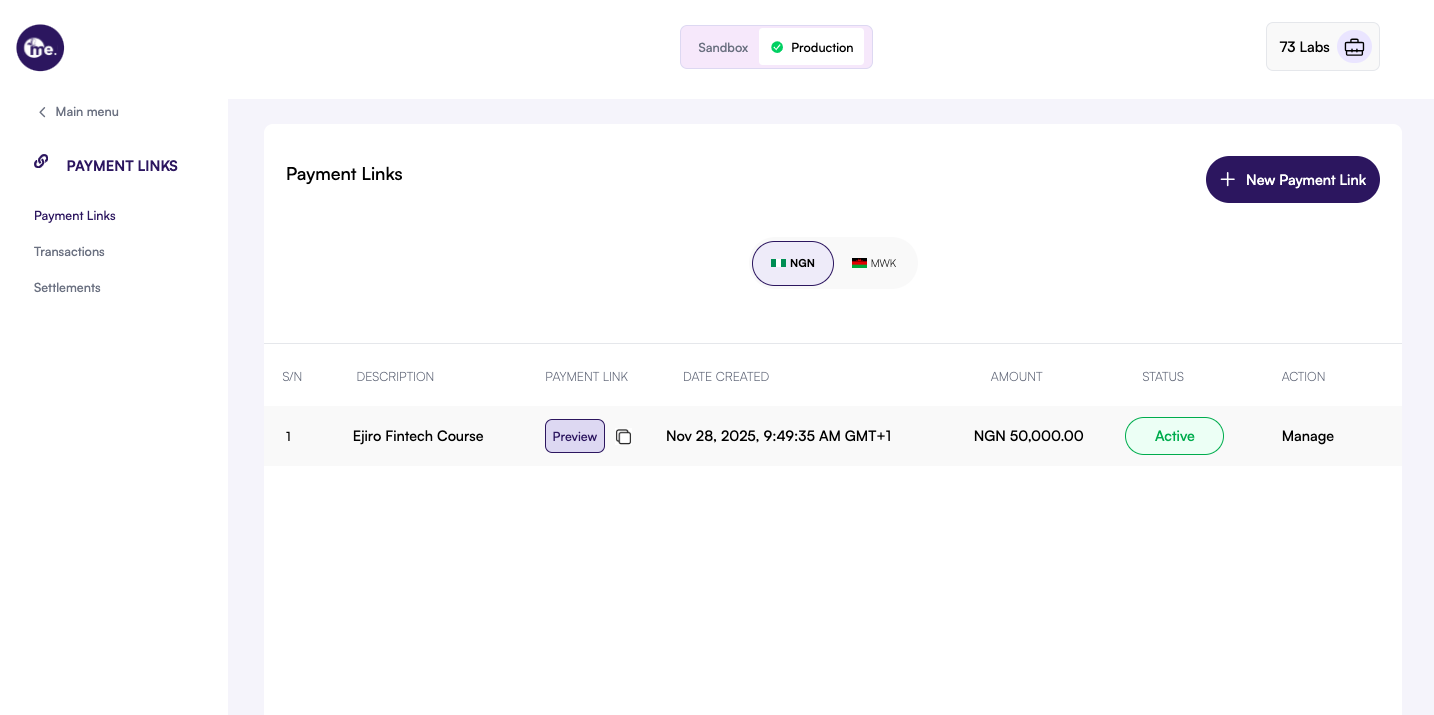
1. Select the link to manage
1. Select the link to manage
2. Deactivate the link
2. Deactivate the link
In the Payment Link Information view, look for the Deactivate Link button (usually located near the top right) and click it.
3. Confirm deactivation
3. Confirm deactivation
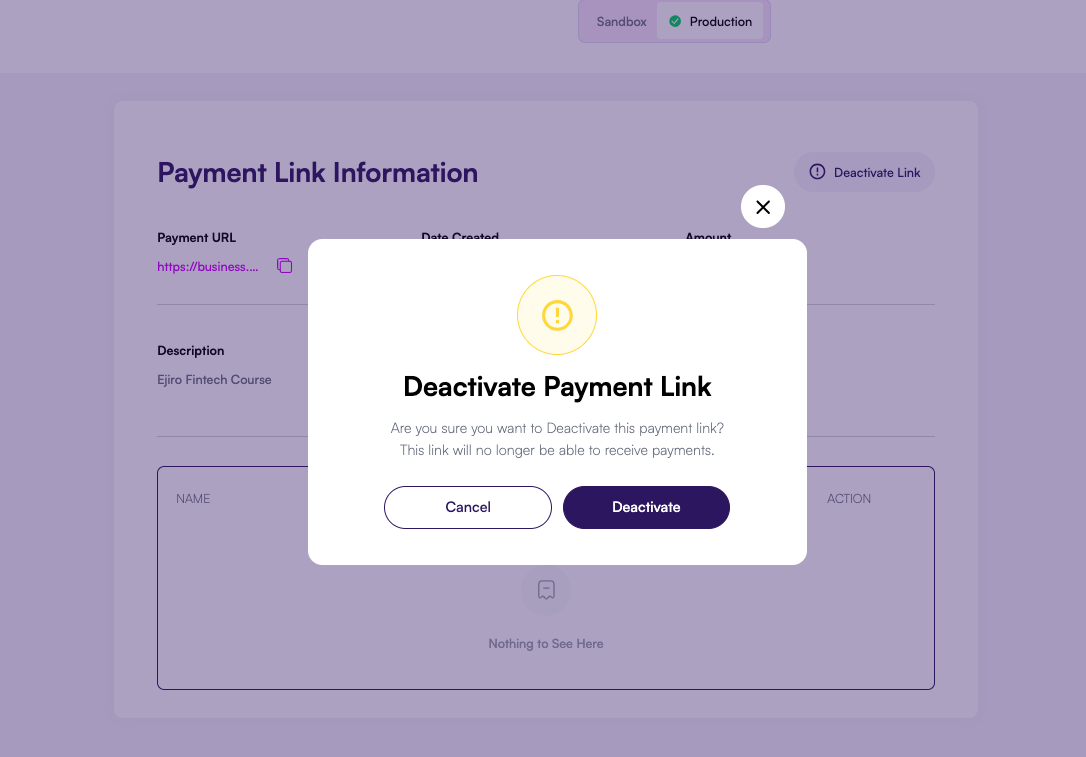
4. Verify Status
4. Verify Status
Once deactivated, the link status in your dashboard will change to Inactive. The link will no longer be able to receive payments.